Preparing your learning space...
63% through Rapid Prototyping tutorials
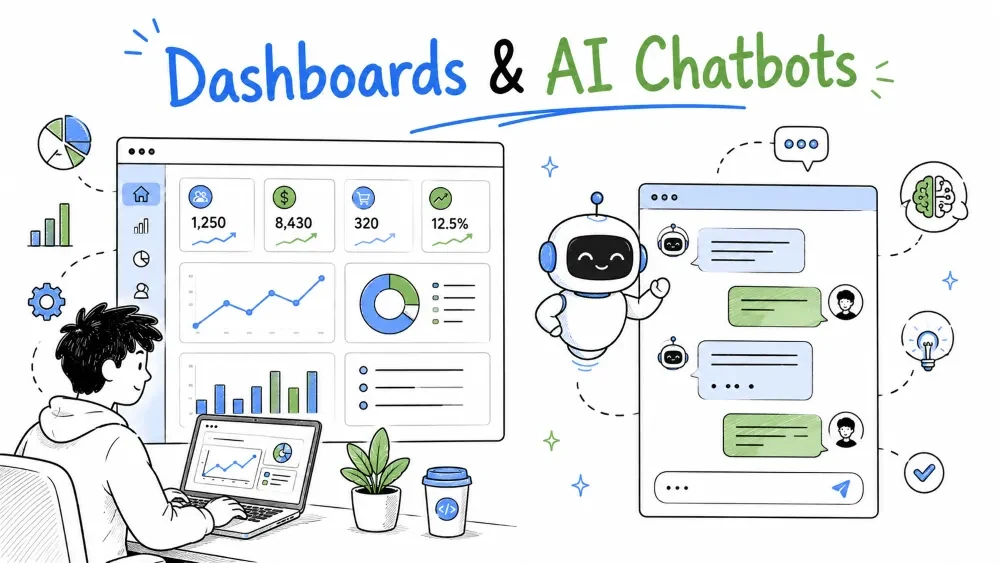
Two customer-facing prototypes get requested constantly: a dashboard that turns their data into a clear picture, and an AI chatbot that answers their questions. Both are wonderful prototyping targets because the user reacts to value immediately — but both fail the same way: they display whatever's easy instead of what proves the idea, or they answer confidently without the user's actual context. This tutorial builds each the fast way, and teaches when a "wow" demo is not yet a prototype.
Before you draw a single chart: the customer almost never says "I want a dashboard." They say "I want to know why our pipeline is slower this quarter" or "which accounts are idle." The dashboard is just the vehicle; the answer is the destination.
So prototype backwards — from the decision to the screen:
If you open with "here are all 40 metrics, have a look," you built a firehose, not a prototype. The fastest dashboard prototype answers one real question first.
Write the dashboard's guiding question in one line, like an MVP core loop (Tutorial 2). Everything you add must serve it:
"Which customers are about to churn, so our CS team can act?"
A prototype with that question pulls that customer list into a view. It does not include revenue-by-channel, ticket volume, and a scatter plot of login times — until the viewer asks. Add things one at a time, only when a true question demands them.
A chart type is a tool with a job, and choosing form-first avoids "we made it look good but it proves nothing." Match the data's job to its shape:
| The job | Reach for |
|---|---|
| A single headline | a stat tile / hero number, not a chart |
| Change over time | a line |
| Compare categories | bars |
| How something splits up | a part-to-whole view |
| Two dimensions at a glance | small multiples or a grid |
Choose the chart type first, then decide what color does. Color has a job — identity (which series is which), magnitude (bigger = darker), or polarity (good/warning vs bad). Pick the role the data needs; don't decorate for the sake of it.
The fastest way to ruin a dashboard prototype is the dual-axis chart — two different measures on two y-scales so they look comparable when they aren't. It's the #1 dashboard mistake. The rule:
Best Practice: a dashboard that someone can't read from memory — where the chart is the delivery, not decoration — is the one the customer actually drives from.
Here's a Streamlit dashboard prototype answering one question — "which customers look about to churn?" — with a hero number and a single focused chart:
import streamlit as st
import pandas as pd

df = pd.read_csv("accounts.csv")
df["at_risk"] = df["last_activity_days"] > 60          # a simple proxy, not truth

# HERO NUMBER — the movie title, not the extras
at_risk = int(df["at_risk"].sum())
st.metric("At-risk accounts", at_risk)

# ONE CHART answering ONE question: how do at-risk by segment compare?
by_seg = df[df["at_risk"]].groupby("segment").size().sort_values()
st.bar_chart(by_seg)                                    # bars: compare categories
Explanation: one number + one bar chart serve the single question. The proxy (last_activity_days > 60) is labeled as a proxy and easy to change — the prototype invites the customer to tell you what "at risk" actually means to them.
People don't read a chart first; they read a headline. Two habits make a dashboard readable by construction:
A dashboard that survives "I don't know what to look at" on first glance is doing its job. One that demands a manual is a failure of the prototype.
An AI chatbot prototype is a real LLM call wrapped in a conversation with a narrow purpose — and a boundary. It's the interface people picture first, and it's the easiest to build badly (a generic toy bot) or impressively-but-uselessly (answers anything, correct about nothing that matters to them).
For a prototype, resist building "an AI that can do general chats." Build a bot that answers one class of question about the customer's world: "our product", "our docs", "our support tickets". Narrow is a feature — it makes the bot's job testable and its failure modes obvious.
A raw model has general knowledge but knows nothing about your customer's products, pricing, policies, or recent incidents. The difference between impressive and useful is giving it their context — the same Retrieval-Augmented Generation (RAG) you met in the AI Engineering tutorials.
The moving parts in any such bot:
For a prototype, even a simplified context works — put their real documents up front and say "answer only from these unless you clearly can't."
Here's the fastest convincing chatbot prototype — one that answers from a supplied knowledge base and refuses to guess (a pared-down RAG):
from anthropic import Anthropic

client = Anthropic()
knowledge = open("support-docs.txt").read()      # their real docs, loaded in

def answer(question: str):
    system = (
        "You answer customer support questions using ONLY the knowledge below. "
        "If the answer is not in it, say 'I don't have that in the docs yet' and "
        "stop. Never invent policies, prices, or dates."
        "\n\nKNOWLEDGE:\n" + knowledge
    )
    msg = client.messages.create(
        model="claude-sonnet-4-5",
        system=system,
        max_tokens=512,
        messages=[{"role": "user", "content": question}],
    )
    return msg.content[0].text
Explanation: the whole value is in the system prompt — real context in, clean refusal of unknowns out. A prototype to validate with a customer: does this reduce their support load, or just answer trivia? If the knowledge file grows past a few pages, switch to a true retrieval step.
LLMs will answer confidently when they don't know. For a prototype that ships to a customer, that's a trust-killer, so harden the prompt first — it's free:
Note: this is the chatbot-specific version of "keep AI out of product decisions" from Tutorial 3 — the guardrails protect the customer, and they're part of the prototype, not post-production seasoning.
A chatbot or dashboard can look dazzling while proving nothing — an impressive demo, not a prototype. The test: does the artifact change a real decision or answer a real question, or does it only look smart? Ask what you learned:
If showing it produces no correction, you built a demo. Sharp prototypes are designed to be wrong in useful ways — they invite the customer to disagree with what you show them.
Save your progress and earn XP for completing tutorials.
4 questions · Pass with 70%+
1What does the customer really want from a dashboard?
2What is the #1 dashboard mistake?
3What makes a chatbot useful rather than impressive?
4How do you tell a demo from a prototype?
Technology
Forward Deployed Engineer
Lesson group
Rapid Prototyping
Progress
63% complete

