Preparing your learning space...
50% through Rapid Prototyping tutorials
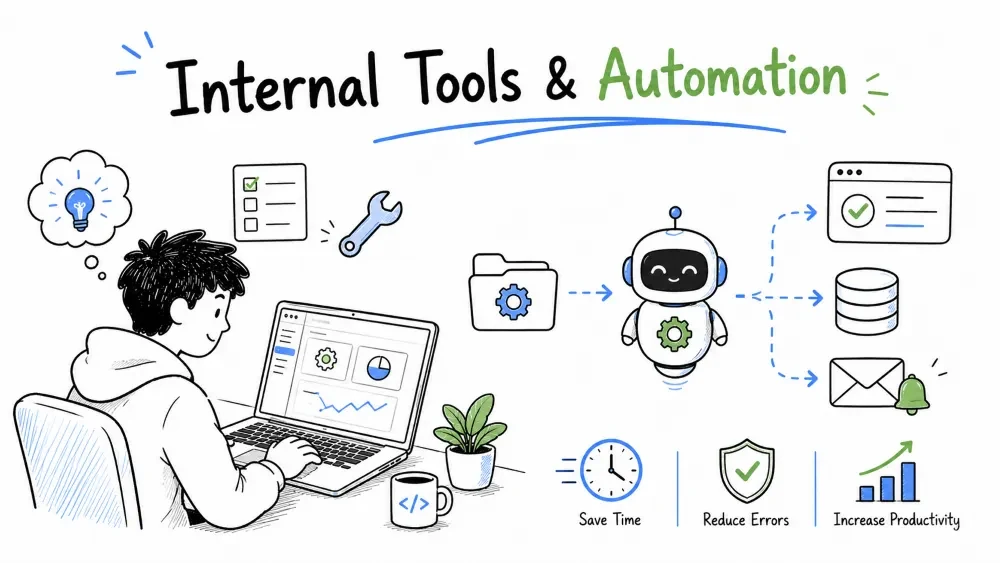
Two of the most common FDE prototypes are the ones nobody on the outside ever sees: an internal tool that saves a team hours of manual copy-pasting, and an automation workflow that replaces a recurring set of manual steps with rules. Both are practically the definition of a high-value prototype — low risk, concrete saving, and usually the customer is sitting in the next chair. This tutorial shows how to build each fast, with real examples.
An internal tool is a small application a team uses to do work that would otherwise be done by hand — a lookup screen, an upload-and-export utility, a slash command, a reporting pane. It doesn't face customers; it faces the people running the business.
For an FDE, internal tools are often the first wins on any engagement: they're small, the need is concrete ("this spreadsheet of ours is painful"), and the user is right there to give feedback the same day.
Everything about rapid prototyping (Tutorials 1–2) lines up for internal tools:
The main trap is building for a workflow you invented instead of the one they actually live — confirm the pain on Monday, don't assume it by Friday.
Don't pick a tool; pick a pain. Watch one person do the job (Tutorials 3–5 of this course on discovery). The smells to hunt:
The key is frequency and effort: a step done every day by many people, despite annoying manual work, is a great prototype target. A step done twice a year isn't.
Note: the tool that removes the most friction per click isn't necessarily the one you should build first — build the pain the user names first, because you know they'll use it.
For internal tools, the fastest way to get a usable screen is usually a Python UI framework like Streamlit (or Gradio) — because ordinary internal-tool work is view data, filter it, act on a record. You don't need a design system for two users.
import streamlit as st
import pandas as pd

@st.cache_data
def load_orders():
    return pd.read_csv("orders.csv")     # swap to the real source later

st.title("AR Review")
df = load_orders()
days_over = df["paid"].isna()            # unpaid rows
filtered = df[days_over].sort_values("due")
st.dataframe(filtered, use_container_width=True)
st.download_button("Export overdue", filtered.to_csv(index=False),
                   file_name="overdue.csv")
Explanation: in ~10 lines the team gets a screen showing overdue orders plus an export button — the exact "view and act" shape of most internal tools. Defer auth, roles, and a database until you confirm people use it daily.
Here's a slightly fuller look at how a prototype internal tool is structured — separate the data loader (swap-prone) from the screen (stable):
import streamlit as st
from data import load_customers, load_orders      # your loader module

st.set_page_config(page_title="Customer 360")

account = st.text_input("Account name")
customers = load_customers()
row = customers[customers["name"].str.contains(account, case=False)]

if not row.empty:
    cid = int(row["id"].iloc[0])
    st.subheader(f"{row['name'].iloc[0]} — LTV ${row['ltv'].iloc[0]:,.0f}")
    st.dataframe(load_orders(cid))                # orders scoped to that customer
else:
    st.warning("No match — did you mean a different spelling?")
Explanation: the pattern — a text box, a data query scoped to the match, a focused view — covers most single-record internal lookups. Keep the loader separate (data.py) so the switch from CSV to a real database later is a one-file change.
An automation workflow turns a manual, rule-following set of steps into code or an integration that runs them for you. Think "when X happens, do Y, then Z." It's not AI magic — it's capturing the rules a human follows and letting a system follow them without rest or typos.
The boundary that matters: if the person has to reason about each case, automation needs smarter logic (possibly AI). If they just repeat a known sequence, automation is a simple workflow.
Every automation has the same skeleton, and naming it keeps your prototype honest:
TRIGGER (something happens)
  │  e.g. new file in a folder / webhook fires / schedule time
  ▼
RULE (decide) — does this case actually need an action?
  │  e.g. "is the amount overdue?"
  ▼
ACTION (do something) — move data, notify, update, create
  │  e.g. email the owner / POST to the API / update the row
  ▼
RECORD (leave a trace) — so a human can audit
If you can describe the workflow this way, you can prototype it. If you can't fill in the RULE clearly, you're not ready to automate that step yet.
Not every step deserves automation. Sort candidate steps before building:
| Classification | What it means | Prototype it? |
|---|---|---|
| High-frequency, low-judgment | repeated, follows a rule | ✅ yes — first |
| High-judgment | each case is analyzed | ⚠️ maybe — needs rules or AI |
| Low-frequency | rare | ❌ skip — hardcoding wins |
| Too risky | one slip is expensive | ⚠️ prototype read-only, human approves |
Build the first automation around the high-frequency, low-judgment step. It's safest, most demonstrably valuable, and easiest to get right.
You can't automate a workflow you don't understand. Before writing any automation code, do the steps manually (or watch the user do them) and write them down. Then decide:
This written walkthrough is your spec. Coding first is how automations silently hurt people; walking it first is how they quietly help.
Here's a minimal but real-workflow automation — watching a folder for a new invoice upload and notifying the owner via email when a large one arrives:
import os, smtplib, time
from email.message import EmailMessage

INBOX, PROCESSED = "uploads/", "processed/"
LIMIT = 5000.0

def handle(path: str):
    amount = extract_amount(path)                       # your parser
    if amount >= LIMIT:                                  # RULE: worth attention?
        send_alert(path, amount)                         # ACTION: notify owner
    os.replace(path, PROCESSED + path)                   # RECORD: archive

def extract_amount(path: str) -> float:
    # minimal: read a vendor-first CSV; real version parses properly
    with open(path) as f:
        return float(f.readlines()[-1].split(",")[-1])

def send_alert(path: str, amount: float):
    msg = EmailMessage()
    msg["To"] = "appr@acme.com"
    msg.set_content(f"New invoice {path} worth ${amount:,.2f} needs approval.")
    smtplib.SMTP("internal-smtp").send_message(msg)

while True:
    for name in os.listdir(INBOX):
        if name.endswith(".csv"):
            handle(INBOX + name)
    time.sleep(60)
Explanation: a loop watches a folder, the RULE flags large invoices, the ACTION emails the approver, and the file is archived to avoid reprocessing. Crude polling instead of a proper watcher is fine for the prototype; the shape — trigger, rule, action, record — is what you keep when you rebuild it production-tough.
A prototype automation can start three ways. Choose the simplest that proves the point:
cron).Best Practice: prototypes often over-promise on the trigger. If your first version is "press a button, it does the workflow," that still validates the useful part — the workflow logic — and you scale the trigger later.
Internal tools and automations share a rule from Tutorial 8: prototype proves the pain is gone; production owns the pain's absence forever. In prototype mode you may:
But the moment a real workflow depends on it (that "if it broke tomorrow, a real user is harmed" test from Tutorial 1), the tool/automation is production and must harden — failure alerts, retries, idempotency so re-runs don't double-send, and a clear audit record.
Save your progress and earn XP for completing tutorials.
4 questions · Pass with 70%+
1Why are internal tools ideal first prototypes?
2What should you pick first when choosing an internal tool?
3What is the core shape of every automation?
4Which classification should you automate first?
Technology
Forward Deployed Engineer
Lesson group
Rapid Prototyping
Progress
50% complete

