Preparing your learning space...
33% through Real-World Projects tutorials
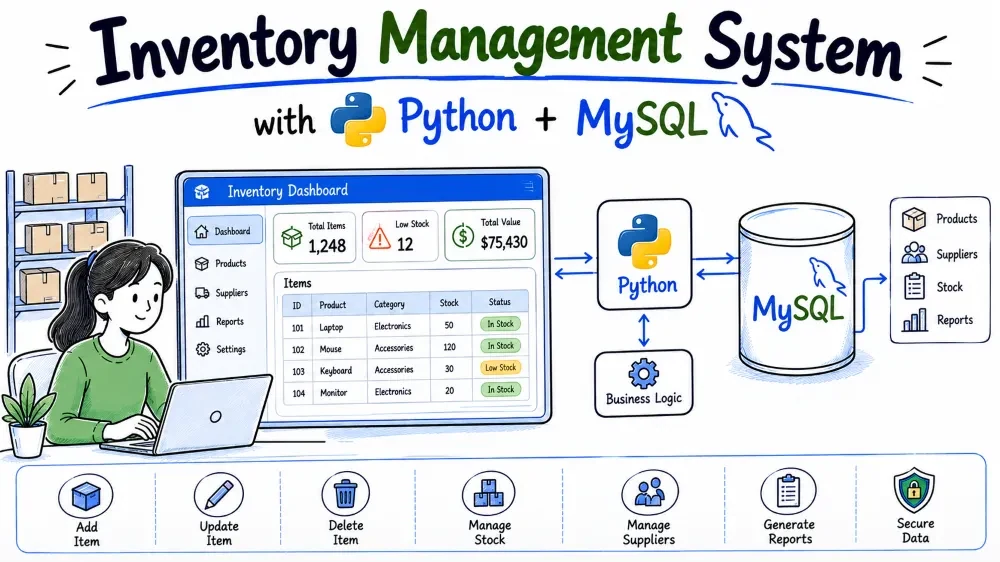
This tutorial builds a command-line Inventory Management System in Python and MySQL. The app tracks product categories, suppliers, and products, and records every movement of stock in and out of the warehouse. You will build restock and sell operations that run inside transactions, plus reports for low-stock items and the total value of inventory.
An inventory system answers two questions constantly: "how much of each product do we have?" and "is it time to reorder?". This project stores products, the categories they belong to, and the suppliers they come from. Every time stock arrives or leaves, the system writes a row into stock_movements and adjusts the product's quantity in the same transaction.
The schema has four tables: categories, suppliers, products, and stock_movements. The movements table records type IN (stock arriving) or OUT (stock sold or removed), which gives a full audit trail of every change. You will learn transactions with commit and rollback, checks before writes, and aggregation reports.
mysql-connector-python package.input(), try/except, and a while loop.One-time setup:
pip install mysql-connector-pythoninventory_management folder and the five files described below.inventory_management/
├── database.sql
├── db_connection.py
├── main.py
├── requirements.txt
└── README.md
database.sql — creates the database, the four tables, and the seed data. Run once with the mysql client.db_connection.py — provides get_connection(), a small helper every function uses to reach MySQL.main.py — the menu loop and every business operation.requirements.txt — lists the package needed to run the project.README.md — a short description plus the commands to run everything.The schema: four tables that model a warehouse. categories and suppliers describe products, products holds the current quantity and reorder level, and stock_movements records every IN and OUT event.
The current quantity on a product is derived from its history. By storing every movement separately, you can always rebuild or audit how a number got there. Foreign keys link each product to exactly one category and one supplier, and each movement to exactly one product.
Create database.sql with the following content.
DROP DATABASE IF EXISTS inventory_db;
CREATE DATABASE inventory_db;
USE inventory_db;

CREATE TABLE categories (
    id INT AUTO_INCREMENT PRIMARY KEY,
    name VARCHAR(100) NOT NULL UNIQUE,
    description VARCHAR(255)
);

CREATE TABLE suppliers (
    id INT AUTO_INCREMENT PRIMARY KEY,
    name VARCHAR(100) NOT NULL,
    phone VARCHAR(20),
    email VARCHAR(100)
);

CREATE TABLE products (
    id INT AUTO_INCREMENT PRIMARY KEY,
    name VARCHAR(100) NOT NULL,
    category_id INT NOT NULL,
    supplier_id INT NOT NULL,
    price DECIMAL(10,2) NOT NULL,
    quantity INT NOT NULL DEFAULT 0,
    reorder_level INT NOT NULL DEFAULT 0,
    FOREIGN KEY (category_id) REFERENCES categories(id) ON DELETE CASCADE,
    FOREIGN KEY (supplier_id) REFERENCES suppliers(id) ON DELETE CASCADE
);

CREATE TABLE stock_movements (
    id INT AUTO_INCREMENT PRIMARY KEY,
    product_id INT NOT NULL,
    type ENUM('IN', 'OUT') NOT NULL,
    quantity INT NOT NULL,
    movement_date DATE NOT NULL,
    FOREIGN KEY (product_id) REFERENCES products(id) ON DELETE CASCADE
);
DROP DATABASE IF EXISTS inventory_db; clears any earlier version so the file can be re-run safely. categories and suppliers are simple reference tables. The category name is UNIQUE so you cannot create the same category twice.
products holds quantity (what you currently have) and reorder_level (the number at or below which you should reorder). Two foreign keys point at categories and suppliers, both with ON DELETE CASCADE, so deleting a category or supplier removes its products. That is a deliberate choice for this project; in a stricter business database you might use RESTRICT instead so a supplier cannot be deleted while they still supply products.
stock_movements has a type column as an ENUM restricted to 'IN' and 'OUT', plus a quantity for how many units moved and a date. The foreign key on product_id cascades, so deleting a product also removes its movement history.
INSERT statements with believable categories, suppliers, products, and a few movements to get started.
Reports look empty without data. Seed data also lets you see the low-stock alert and the inventory value on the very first run.
Append these statements to database.sql.
INSERT INTO categories (name, description) VALUES
('Electronics', 'Gadgets and computer accessories'),
('Stationery', 'Office and school supplies'),
('Food', 'Edible grocery items'),
('Furniture', 'Office and home furniture');

INSERT INTO suppliers (name, phone, email) VALUES
('TechWorld Distributors', '022-555-0142', 'sales@techworld.example'),
('Office Mart', '011-555-0198', 'orders@officemart.example'),
('Fresh Foods Co', '044-555-0177', 'contact@freshfoods.example'),
('HomeStyle Supplies', '033-555-0155', 'info@homestyle.example');

INSERT INTO products (name, category_id, supplier_id, price, quantity, reorder_level) VALUES
('Wireless Mouse', 1, 1, 499.00, 45, 10),
('LED Monitor 24"', 1, 1, 8500.00, 12, 5),
('A4 Paper Ream', 2, 2, 350.00, 3, 20),
('Ballpoint Pens (pack of 10)', 2, 2, 120.00, 80, 25),
('Basmati Rice 5kg', 3, 3, 550.00, 4, 15),
('Coffee Beans 1kg', 3, 3, 750.00, 8, 10),
('Office Chair', 4, 4, 6500.00, 6, 3),
('Notebook A5 (pack of 5)', 2, 2, 200.00, 30, 10);

INSERT INTO stock_movements (product_id, type, quantity, movement_date) VALUES
(1, 'IN', 30, '2026-06-05'),
(1, 'OUT', 10, '2026-06-12'),
(1, 'IN', 25, '2026-07-02'),
(2, 'IN', 15, '2026-06-20'),
(3, 'IN', 40, '2026-06-25'),
(3, 'OUT', 37, '2026-07-10'),
(5, 'IN', 20, '2026-07-01'),
(5, 'OUT', 16, '2026-07-15'),
(6, 'IN', 12, '2026-06-28'),
(6, 'OUT', 4, '2026-07-18');
Category IDs and supplier IDs come from the earlier inserts, so the product rows reference values that already exist. Product 8 has no movements yet, which shows a product with stock but no history.
Several products sit at or below their reorder level: A4 Paper Ream (3 vs reorder 20), Basmati Rice (4 vs reorder 15), and Coffee Beans (8 vs reorder 10). That gives the low-stock alert something to print.
The movement rows explain where each quantity came from. Wireless Mouse, for example, has 30 IN, 10 OUT, and 25 IN, which nets to 45, matching the product's current quantity. The movement dates are recent (June and July 2026) so the history looks current.
db_connection.py with a get_connection() function that opens a connection to inventory_db.
Every menu operation needs a MySQL connection. A single helper keeps host, user, password, and database in one place, so credentials are changed once.
Create db_connection.py.
import mysql.connector

def get_connection():
    return mysql.connector.connect(
        host="localhost",
        user="root",
        password="yourpassword",
        database="inventory_db"
    )
The function passes the server host, MySQL user, password, and database name to mysql.connector.connect() and returns the connection. Change yourpassword to your real MySQL password. The database name here is inventory_db, the one created in Step 1. Operations in main.py call get_connection() and then open a cursor on the returned connection.
The start of main.py: a menu loop and add_category().
The menu is how the user drives the whole system. add_category() is the first building block because products need a category before they can exist.
Create main.py with the menu and the category function.
import mysql.connector
from db_connection import get_connection

def show_menu():
    print("\n===== INVENTORY MANAGEMENT SYSTEM =====")
    print("1. Add category")
    print("2. Add supplier")
    print("3. Add product")
    print("4. Restock product")
    print("5. Sell product")
    print("6. Low-stock alert")
    print("7. Inventory value report")
    print("8. Movement history for a product")
    print("0. Exit")
    print("=====================================")

def add_category():
    name = input("Category name: ").strip()
    description = input("Description: ").strip()
    if not name:
        print("Category name cannot be empty.")
        return
    conn = get_connection()
    cursor = conn.cursor()
    try:
        cursor.execute(
            "INSERT INTO categories (name, description) VALUES (%s, %s)",
            (name, description)
        )
        conn.commit()
        print(f"Category '{name}' added with ID {cursor.lastrowid}.")
    except mysql.connector.Error as err:
        conn.rollback()
        print(f"Error: {err}")
    finally:
        cursor.close()
        conn.close()

def main():
    while True:
        show_menu()
        choice = input("Enter your choice: ").strip()
        if choice == "1":
            add_category()
        elif choice == "0":
            print("Goodbye!")
            break
        else:
            print("Invalid choice. Try again.")

if __name__ == "__main__":
    main()
The import pulls get_connection from the helper file in the same folder. add_category() reads a name and description, then checks that the name is not empty before touching the database. Small validation like this catches mistakes early.
The INSERT uses %s placeholders with a tuple of values. That is a parameterized query: the driver treats the values as data, so nothing the user types can alter the SQL statement. This is the main defence against SQL injection.
conn.commit() makes the insert permanent; without it the row is lost when the connection closes. cursor.lastrowid reports the auto-generated ID of the new category. The except mysql.connector.Error clause catches database errors such as a duplicate category name, rolls back, and prints a readable message. The finally block always closes the cursor and connection, even on errors. The menu loop keeps running until the user selects 0.
Two more operations. add_supplier() inserts into suppliers, and add_product() inserts into products after verifying the category and supplier exist.
Products depend on both a category and a supplier, so you need a way to create those first. add_product() also demonstrates the pattern of checking foreign key targets before inserting, so the user gets a clear message instead of a raw constraint error.
Add both functions to main.py.
def add_supplier():
    name = input("Supplier name: ").strip()
    phone = input("Phone: ").strip()
    email = input("Email: ").strip()
    if not name:
        print("Supplier name cannot be empty.")
        return
    conn = get_connection()
    cursor = conn.cursor()
    try:
        cursor.execute(
            "INSERT INTO suppliers (name, phone, email) VALUES (%s, %s, %s)",
            (name, phone, email)
        )
        conn.commit()
        print(f"Supplier '{name}' added with ID {cursor.lastrowid}.")
    except mysql.connector.Error as err:
        conn.rollback()
        print(f"Error: {err}")
    finally:
        cursor.close()
        conn.close()

def add_product():
    name = input("Product name: ").strip()
    try:
        category_id = int(input("Category ID: "))
        supplier_id = int(input("Supplier ID: "))
        price = float(input("Price: "))
        quantity = int(input("Initial quantity: "))
        reorder_level = int(input("Reorder level: "))
    except ValueError:
        print("IDs, price and quantities must be numbers.")
        return
    conn = get_connection()
    cursor = conn.cursor()
    try:
        cursor.execute("SELECT id FROM categories WHERE id = %s", (category_id,))
        if cursor.fetchone() is None:
            print(f"No category with ID {category_id}.")
            return
        cursor.execute("SELECT id FROM suppliers WHERE id = %s", (supplier_id,))
        if cursor.fetchone() is None:
            print(f"No supplier with ID {supplier_id}.")
            return
        cursor.execute(
            "INSERT INTO products (name, category_id, supplier_id, price, quantity, reorder_level) "
            "VALUES (%s, %s, %s, %s, %s, %s)",
            (name, category_id, supplier_id, price, quantity, reorder_level)
        )
        conn.commit()
        print(f"Product '{name}' added with ID {cursor.lastrowid}.")
    except mysql.connector.Error as err:
        conn.rollback()
        print(f"Error: {err}")
    finally:
        cursor.close()
        conn.close()
add_supplier() is nearly identical to add_category(), just with three columns and a tuple of three values. The supplier's phone and email are optional text, so no conversion is needed.
add_product() converts all numeric input up front inside a try/except, so a typing mistake like "abc" for price prints a message and returns instead of crashing. The two SELECT statements check that the category ID and supplier ID exist; fetchone() returns None when there is no row, and the function returns early with a friendly message.
The INSERT has six placeholders matching six values in the tuple. The foreign key columns category_id and supplier_id take the IDs the user entered. conn.commit() saves the product, and the finally block closes resources.
Wire both into the menu:
        elif choice == "2":
            add_supplier()
        elif choice == "3":
            add_product()
These branches map menu options 2 and 3 to the new functions. Order matters in the menu flow: suppliers and categories should exist before products, which the pre-checks in add_product() also enforce.
restock(), which adds stock to a product. It inserts an IN row into stock_movements and increases the product's quantity, both in one transaction.
Restocking changes two things at once: the history (a movement record) and the current state (the quantity). Both must happen together, so if either fails, both must be undone. That is exactly what a transaction with commit() and rollback() is for.
Add restock() to main.py.
def restock():
    try:
        product_id = int(input("Product ID: "))
        quantity = int(input("Quantity to add: "))
    except ValueError:
        print("Please enter numbers.")
        return
    if quantity <= 0:
        print("Quantity must be greater than zero.")
        return
    conn = get_connection()
    cursor = conn.cursor()
    try:
        cursor.execute("SELECT name FROM products WHERE id = %s", (product_id,))
        row = cursor.fetchone()
        if row is None:
            print(f"No product found with ID {product_id}.")
            return
        cursor.execute(
            "INSERT INTO stock_movements (product_id, type, quantity, movement_date) "
            "VALUES (%s, 'IN', %s, CURDATE())",
            (product_id, quantity)
        )
        cursor.execute(
            "UPDATE products SET quantity = quantity + %s WHERE id = %s",
            (quantity, product_id)
        )
        conn.commit()
        print(f"Added {quantity} units to {row[0]} (ID {product_id}).")
    except mysql.connector.Error as err:
        conn.rollback()
        print(f"Error: {err}")
    finally:
        cursor.close()
        conn.close()
After the numeric conversion, there is a check that quantity is positive. Restocking negative units would corrupt stock, so the app rejects it before opening a connection. The SELECT verifies the product exists and fetches its name for the confirmation message.
The INSERT writes an IN movement with type hardcoded as 'IN' in the SQL and today's date from CURDATE(). Only the product ID and quantity are parameters. The UPDATE increases the quantity with quantity = quantity + %s, which is safer than reading the quantity in Python, adding, and writing it back, because MySQL does the addition atomically on the row.
Both statements run, then one conn.commit() saves them together. If the second statement fails, the except block calls conn.rollback(), which undoes the movement insert too. This atomicity is the whole point of the transaction.
Wire it into the menu:
        elif choice == "4":
            restock()
Option 4 now calls restock(). The restock flow is the model for the sell flow in the next step, but sell adds one extra step: checking the available quantity.
sell(), which records an OUT movement and decreases the quantity, but only when enough stock is available.
Selling out of stock is a real business problem, and a naive UPDATE would let quantity go negative. The sell function must check the current quantity first, refuse the sale if stock is short, and only then write the movement and the decrease.
Add sell() to main.py.
def sell():
    try:
        product_id = int(input("Product ID: "))
        quantity = int(input("Quantity to sell: "))
    except ValueError:
        print("Please enter numbers.")
        return
    if quantity <= 0:
        print("Quantity must be greater than zero.")
        return
    conn = get_connection()
    cursor = conn.cursor()
    try:
        cursor.execute("SELECT name, quantity FROM products WHERE id = %s", (product_id,))
        row = cursor.fetchone()
        if row is None:
            print(f"No product found with ID {product_id}.")
            return
        name, current = row
        if current < quantity:
            print(f"Not enough stock. {name} has only {current} units.")
            return
        cursor.execute(
            "INSERT INTO stock_movements (product_id, type, quantity, movement_date) "
            "VALUES (%s, 'OUT', %s, CURDATE())",
            (product_id, quantity)
        )
        cursor.execute(
            "UPDATE products SET quantity = quantity - %s WHERE id = %s",
            (quantity, product_id)
        )
        conn.commit()
        print(f"Sold {quantity} units of {name}. Remaining: {current - quantity}.")
    except mysql.connector.Error as err:
        conn.rollback()
        print(f"Error: {err}")
    finally:
        cursor.close()
        conn.close()
The SELECT fetches both the name and the current quantity. The check if current < quantity blocks a sale that exceeds available stock and explains how many units remain.
When the sale proceeds, the INSERT writes an OUT movement and the UPDATE subtracts the quantity, mirroring the restock operation with the opposite sign. Both statements are committed together. If the movement insert succeeds but the update fails, rollback() undoes everything, so the quantity and the history can never disagree.
current - quantity in the confirmation message is the value Python saw before the update; it matches what the database now holds.
Wire it into the menu:
        elif choice == "5":
            sell()
Option 5 calls sell(). The sell and restock pair is the heart of the inventory system, and both share the same transactional pattern.
The three read-only reports and the finished menu: low-stock alert, inventory value, and movement history.
These are the questions the system exists to answer: which products need reordering, how much is the whole inventory worth, and what happened to a specific product over time.
Add the three report functions to main.py.
def low_stock_report():
    conn = get_connection()
    cursor = conn.cursor()
    try:
        cursor.execute(
            """
            SELECT p.id, p.name, p.quantity, p.reorder_level
            FROM products p
            WHERE p.quantity <= p.reorder_level
            ORDER BY p.quantity
            """
        )
        rows = cursor.fetchall()
        if not rows:
            print("No low-stock products. All good.")
            return
        print(f"{'ID':<4} {'Name':<25} {'Qty':>6} {'Reorder Level':>14}")
        print("-" * 52)
        for pid, name, qty, level in rows:
            print(f"{pid:<4} {name:<25} {qty:>6} {level:>14}")
    except mysql.connector.Error as err:
        print(f"Error: {err}")
    finally:
        cursor.close()
        conn.close()

def inventory_value_report():
    conn = get_connection()
    cursor = conn.cursor()
    try:
        cursor.execute("SELECT SUM(quantity * price) FROM products")
        total = cursor.fetchone()[0]
        print(f"Total inventory value: {total or 0:.2f}")
        cursor.execute(
            """
            SELECT c.name, SUM(p.quantity * p.price) AS value
            FROM products p
            JOIN categories c ON p.category_id = c.id
            GROUP BY c.name
            ORDER BY value DESC
            """
        )
        rows = cursor.fetchall()
        print(f"\n{'Category':<15} {'Value':>12}")
        print("-" * 30)
        for name, value in rows:
            print(f"{name:<15} {value or 0:>12.2f}")
    except mysql.connector.Error as err:
        print(f"Error: {err}")
    finally:
        cursor.close()
        conn.close()

def movement_history():
    try:
        product_id = int(input("Product ID: "))
    except ValueError:
        print("Please enter a number.")
        return
    conn = get_connection()
    cursor = conn.cursor()
    try:
        cursor.execute("SELECT name FROM products WHERE id = %s", (product_id,))
        row = cursor.fetchone()
        if row is None:
            print(f"No product found with ID {product_id}.")
            return
        product_name = row[0]
        cursor.execute(
            """
            SELECT m.movement_date, m.type, m.quantity
            FROM stock_movements m
            WHERE m.product_id = %s
            ORDER BY m.movement_date
            """,
            (product_id,)
        )
        rows = cursor.fetchall()
        if not rows:
            print(f"No stock movements recorded for {product_name}.")
            return
        print(f"Movement history for: {product_name}")
        print(f"{'Date':<12} {'Type':<5} {'Qty':>6}")
        print("-" * 28)
        for date, mtype, qty in rows:
            print(f"{str(date):<12} {mtype:<5} {qty:>6}")
    except mysql.connector.Error as err:
        print(f"Error: {err}")
    finally:
        cursor.close()
        conn.close()
low_stock_report() filters with WHERE p.quantity <= p.reorder_level, so exactly the products at or below their reorder level show up. Ordering by quantity puts the emptiest first, and the column headers use the same padding trick as before to line the table up.
inventory_value_report() runs two queries. The first sums quantity * price across all products for the total value. The second joins products to categories and groups by category, so you see where the money sits. total or 0 handles the empty-table case where SUM returns NULL.
movement_history() verifies the product exists, then selects all its movements ordered by date. Each row prints the date, the type (IN or OUT), and the quantity. This is the audit trail that the quantity column is built from. All three functions are SELECT-only, so no commit() is needed, but the try/except and finally pattern still protects the connection.
Now finish main() with all options wired:
def main():
    while True:
        show_menu()
        choice = input("Enter your choice: ").strip()
        if choice == "1":
            add_category()
        elif choice == "2":
            add_supplier()
        elif choice == "3":
            add_product()
        elif choice == "4":
            restock()
        elif choice == "5":
            sell()
        elif choice == "6":
            low_stock_report()
        elif choice == "7":
            inventory_value_report()
        elif choice == "8":
            movement_history()
        elif choice == "0":
            print("Goodbye!")
            break
        else:
            print("Invalid choice. Try again.")

if __name__ == "__main__":
    main()
Each menu option now calls its function, and the loop only exits when the user enters 0. The if __name__ == "__main__": guard means the menu starts only when the file is run directly.
Finally, create requirements.txt and README.md.
mysql-connector-python
requirements.txt lists the project's single dependency, so pip install -r requirements.txt sets everything up.
# Inventory Management System

A menu-driven Python application that tracks product categories, suppliers, stock levels, and inventory movements in MySQL.

## Setup

1. `pip install mysql-connector-python`
2. `mysql -u root -p < database.sql`
3. `python main.py`

Edit the password in `db_connection.py` before running.
The README gives the three commands to get running and the one edit required: the password in db_connection.py.
Here is every file in its finished state. Copy them into the inventory_management folder exactly as shown. main.py is split into two parts below for readability; copy both parts, in order, into a single file named main.py.
DROP DATABASE IF EXISTS inventory_db;
CREATE DATABASE inventory_db;
USE inventory_db;

CREATE TABLE categories (
    id INT AUTO_INCREMENT PRIMARY KEY,
    name VARCHAR(100) NOT NULL UNIQUE,
    description VARCHAR(255)
);

CREATE TABLE suppliers (
    id INT AUTO_INCREMENT PRIMARY KEY,
    name VARCHAR(100) NOT NULL,
    phone VARCHAR(20),
    email VARCHAR(100)
);

CREATE TABLE products (
    id INT AUTO_INCREMENT PRIMARY KEY,
    name VARCHAR(100) NOT NULL,
    category_id INT NOT NULL,
    supplier_id INT NOT NULL,
    price DECIMAL(10,2) NOT NULL,
    quantity INT NOT NULL DEFAULT 0,
    reorder_level INT NOT NULL DEFAULT 0,
    FOREIGN KEY (category_id) REFERENCES categories(id) ON DELETE CASCADE,
    FOREIGN KEY (supplier_id) REFERENCES suppliers(id) ON DELETE CASCADE
);

CREATE TABLE stock_movements (
    id INT AUTO_INCREMENT PRIMARY KEY,
    product_id INT NOT NULL,
    type ENUM('IN', 'OUT') NOT NULL,
    quantity INT NOT NULL,
    movement_date DATE NOT NULL,
    FOREIGN KEY (product_id) REFERENCES products(id) ON DELETE CASCADE
);

INSERT INTO categories (name, description) VALUES
('Electronics', 'Gadgets and computer accessories'),
('Stationery', 'Office and school supplies'),
('Food', 'Edible grocery items'),
('Furniture', 'Office and home furniture');

INSERT INTO suppliers (name, phone, email) VALUES
('TechWorld Distributors', '022-555-0142', 'sales@techworld.example'),
('Office Mart', '011-555-0198', 'orders@officemart.example'),
('Fresh Foods Co', '044-555-0177', 'contact@freshfoods.example'),
('HomeStyle Supplies', '033-555-0155', 'info@homestyle.example');

INSERT INTO products (name, category_id, supplier_id, price, quantity, reorder_level) VALUES
('Wireless Mouse', 1, 1, 499.00, 45, 10),
('LED Monitor 24"', 1, 1, 8500.00, 12, 5),
('A4 Paper Ream', 2, 2, 350.00, 3, 20),
('Ballpoint Pens (pack of 10)', 2, 2, 120.00, 80, 25),
('Basmati Rice 5kg', 3, 3, 550.00, 4, 15),
('Coffee Beans 1kg', 3, 3, 750.00, 8, 10),
('Office Chair', 4, 4, 6500.00, 6, 3),
('Notebook A5 (pack of 5)', 2, 2, 200.00, 30, 10);

INSERT INTO stock_movements (product_id, type, quantity, movement_date) VALUES
(1, 'IN', 30, '2026-06-05'),
(1, 'OUT', 10, '2026-06-12'),
(1, 'IN', 25, '2026-07-02'),
(2, 'IN', 15, '2026-06-20'),
(3, 'IN', 40, '2026-06-25'),
(3, 'OUT', 37, '2026-07-10'),
(5, 'IN', 20, '2026-07-01'),
(5, 'OUT', 16, '2026-07-15'),
(6, 'IN', 12, '2026-06-28'),
(6, 'OUT', 4, '2026-07-18');
import mysql.connector

def get_connection():
    return mysql.connector.connect(
        host="localhost",
        user="root",
        password="yourpassword",
        database="inventory_db"
    )
import mysql.connector
from db_connection import get_connection

def add_category():
    name = input("Category name: ").strip()
    description = input("Description: ").strip()
    if not name:
        print("Category name cannot be empty.")
        return
    conn = get_connection()
    cursor = conn.cursor()
    try:
        cursor.execute(
            "INSERT INTO categories (name, description) VALUES (%s, %s)",
            (name, description)
        )
        conn.commit()
        print(f"Category '{name}' added with ID {cursor.lastrowid}.")
    except mysql.connector.Error as err:
        conn.rollback()
        print(f"Error: {err}")
    finally:
        cursor.close()
        conn.close()

def add_supplier():
    name = input("Supplier name: ").strip()
    phone = input("Phone: ").strip()
    email = input("Email: ").strip()
    if not name:
        print("Supplier name cannot be empty.")
        return
    conn = get_connection()
    cursor = conn.cursor()
    try:
        cursor.execute(
            "INSERT INTO suppliers (name, phone, email) VALUES (%s, %s, %s)",
            (name, phone, email)
        )
        conn.commit()
        print(f"Supplier '{name}' added with ID {cursor.lastrowid}.")
    except mysql.connector.Error as err:
        conn.rollback()
        print(f"Error: {err}")
    finally:
        cursor.close()
        conn.close()

def add_product():
    name = input("Product name: ").strip()
    try:
        category_id = int(input("Category ID: "))
        supplier_id = int(input("Supplier ID: "))
        price = float(input("Price: "))
        quantity = int(input("Initial quantity: "))
        reorder_level = int(input("Reorder level: "))
    except ValueError:
        print("IDs, price and quantities must be numbers.")
        return
    conn = get_connection()
    cursor = conn.cursor()
    try:
        cursor.execute("SELECT id FROM categories WHERE id = %s", (category_id,))
        if cursor.fetchone() is None:
            print(f"No category with ID {category_id}.")
            return
        cursor.execute("SELECT id FROM suppliers WHERE id = %s", (supplier_id,))
        if cursor.fetchone() is None:
            print(f"No supplier with ID {supplier_id}.")
            return
        cursor.execute(
            "INSERT INTO products (name, category_id, supplier_id, price, quantity, reorder_level) "
            "VALUES (%s, %s, %s, %s, %s, %s)",
            (name, category_id, supplier_id, price, quantity, reorder_level)
        )
        conn.commit()
        print(f"Product '{name}' added with ID {cursor.lastrowid}.")
    except mysql.connector.Error as err:
        conn.rollback()
        print(f"Error: {err}")
    finally:
        cursor.close()
        conn.close()

def restock():
    try:
        product_id = int(input("Product ID: "))
        quantity = int(input("Quantity to add: "))
    except ValueError:
        print("Please enter numbers.")
        return
    if quantity <= 0:
        print("Quantity must be greater than zero.")
        return
    conn = get_connection()
    cursor = conn.cursor()
    try:
        cursor.execute("SELECT name FROM products WHERE id = %s", (product_id,))
        row = cursor.fetchone()
        if row is None:
            print(f"No product found with ID {product_id}.")
            return
        cursor.execute(
            "INSERT INTO stock_movements (product_id, type, quantity, movement_date) "
            "VALUES (%s, 'IN', %s, CURDATE())",
            (product_id, quantity)
        )
        cursor.execute(
            "UPDATE products SET quantity = quantity + %s WHERE id = %s",
            (quantity, product_id)
        )
        conn.commit()
        print(f"Added {quantity} units to {row[0]} (ID {product_id}).")
    except mysql.connector.Error as err:
        conn.rollback()
        print(f"Error: {err}")
    finally:
        cursor.close()
        conn.close()

def sell():
    try:
        product_id = int(input("Product ID: "))
        quantity = int(input("Quantity to sell: "))
    except ValueError:
        print("Please enter numbers.")
        return
    if quantity <= 0:
        print("Quantity must be greater than zero.")
        return
    conn = get_connection()
    cursor = conn.cursor()
    try:
        cursor.execute("SELECT name, quantity FROM products WHERE id = %s", (product_id,))
        row = cursor.fetchone()
        if row is None:
            print(f"No product found with ID {product_id}.")
            return
        name, current = row
        if current < quantity:
            print(f"Not enough stock. {name} has only {current} units.")
            return
        cursor.execute(
            "INSERT INTO stock_movements (product_id, type, quantity, movement_date) "
            "VALUES (%s, 'OUT', %s, CURDATE())",
            (product_id, quantity)
        )
        cursor.execute(
            "UPDATE products SET quantity = quantity - %s WHERE id = %s",
            (quantity, product_id)
        )
        conn.commit()
        print(f"Sold {quantity} units of {name}. Remaining: {current - quantity}.")
    except mysql.connector.Error as err:
        conn.rollback()
        print(f"Error: {err}")
    finally:
        cursor.close()
        conn.close()
def low_stock_report():
    conn = get_connection()
    cursor = conn.cursor()
    try:
        cursor.execute(
            """
            SELECT p.id, p.name, p.quantity, p.reorder_level
            FROM products p
            WHERE p.quantity <= p.reorder_level
            ORDER BY p.quantity
            """
        )
        rows = cursor.fetchall()
        if not rows:
            print("No low-stock products. All good.")
            return
        print(f"{'ID':<4} {'Name':<25} {'Qty':>6} {'Reorder Level':>14}")
        print("-" * 52)
        for pid, name, qty, level in rows:
            print(f"{pid:<4} {name:<25} {qty:>6} {level:>14}")
    except mysql.connector.Error as err:
        print(f"Error: {err}")
    finally:
        cursor.close()
        conn.close()

def inventory_value_report():
    conn = get_connection()
    cursor = conn.cursor()
    try:
        cursor.execute("SELECT SUM(quantity * price) FROM products")
        total = cursor.fetchone()[0]
        print(f"Total inventory value: {total or 0:.2f}")
        cursor.execute(
            """
            SELECT c.name, SUM(p.quantity * p.price) AS value
            FROM products p
            JOIN categories c ON p.category_id = c.id
            GROUP BY c.name
            ORDER BY value DESC
            """
        )
        rows = cursor.fetchall()
        print(f"\n{'Category':<15} {'Value':>12}")
        print("-" * 30)
        for name, value in rows:
            print(f"{name:<15} {value or 0:>12.2f}")
    except mysql.connector.Error as err:
        print(f"Error: {err}")
    finally:
        cursor.close()
        conn.close()

def movement_history():
    try:
        product_id = int(input("Product ID: "))
    except ValueError:
        print("Please enter a number.")
        return
    conn = get_connection()
    cursor = conn.cursor()
    try:
        cursor.execute("SELECT name FROM products WHERE id = %s", (product_id,))
        row = cursor.fetchone()
        if row is None:
            print(f"No product found with ID {product_id}.")
            return
        product_name = row[0]
        cursor.execute(
            """
            SELECT m.movement_date, m.type, m.quantity
            FROM stock_movements m
            WHERE m.product_id = %s
            ORDER BY m.movement_date
            """,
            (product_id,)
        )
        rows = cursor.fetchall()
        if not rows:
            print(f"No stock movements recorded for {product_name}.")
            return
        print(f"Movement history for: {product_name}")
        print(f"{'Date':<12} {'Type':<5} {'Qty':>6}")
        print("-" * 28)
        for date, mtype, qty in rows:
            print(f"{str(date):<12} {mtype:<5} {qty:>6}")
    except mysql.connector.Error as err:
        print(f"Error: {err}")
    finally:
        cursor.close()
        conn.close()

def show_menu():
    print("\n===== INVENTORY MANAGEMENT SYSTEM =====")
    print("1. Add category")
    print("2. Add supplier")
    print("3. Add product")
    print("4. Restock product")
    print("5. Sell product")
    print("6. Low-stock alert")
    print("7. Inventory value report")
    print("8. Movement history for a product")
    print("0. Exit")
    print("=====================================")

def main():
    while True:
        show_menu()
        choice = input("Enter your choice: ").strip()
        if choice == "1":
            add_category()
        elif choice == "2":
            add_supplier()
        elif choice == "3":
            add_product()
        elif choice == "4":
            restock()
        elif choice == "5":
            sell()
        elif choice == "6":
            low_stock_report()
        elif choice == "7":
            inventory_value_report()
        elif choice == "8":
            movement_history()
        elif choice == "0":
            print("Goodbye!")
            break
        else:
            print("Invalid choice. Try again.")

if __name__ == "__main__":
    main()
mysql-connector-python
# Inventory Management System

A menu-driven Python application that tracks product categories, suppliers, stock levels, and inventory movements in MySQL.

## Setup

1. `pip install mysql-connector-python`
2. `mysql -u root -p < database.sql`
3. `python main.py`

Edit the password in `db_connection.py` before running.
Install the connector if you have not yet:
pip install mysql-connector-python
Load the schema and seed data. The -p flag makes mysql prompt for the root password:
mysql -u root -p < database.sql
Run the app:
python main.py
The first run should print the menu. If you then choose option 6, the low-stock alert shows the products that need attention:
===== INVENTORY MANAGEMENT SYSTEM =====
1. Add category
2. Add supplier
3. Add product
4. Restock product
5. Sell product
6. Low-stock alert
7. Inventory value report
8. Movement history for a product
0. Exit
=====================================
Enter your choice: 6

ID   Name                         Qty   Reorder Level
----------------------------------------------------
3    A4 Paper Ream                  3              20
5    Basmati Rice 5kg               4              15
6    Coffee Beans 1kg               8              10
Enter your choice:
Three seed products are at or below their reorder level, so the alert lists them sorted by quantity. Products like the Wireless Mouse and Office Chair stay hidden because their stock is well above the reorder point.
Here are four realistic test cases. Run them against a freshly loaded database to match the expected output exactly.
Input
Enter your choice: 6
Expected Output
ID   Name                         Qty   Reorder Level
----------------------------------------------------
3    A4 Paper Ream                  3              20
5    Basmati Rice 5kg               4              15
6    Coffee Beans 1kg               8              10
Explanation
The query filters with WHERE quantity <= reorder_level. A4 Paper Ream (3 <= 20), Basmati Rice (4 <= 15), and Coffee Beans (8 <= 10) all qualify, while the other products are comfortably above their levels. If you restock a product past its reorder level, it drops off this list.
Input
Enter your choice: 5
Product ID: 3
Quantity to sell: 10
Expected Output
Not enough stock. A4 Paper Ream has only 3 units.
Explanation
sell() reads the current quantity of product 3 (3 units) and compares it with the requested 10. Since 3 < 10, the function returns early and nothing is written. The quantity stays 3 and no OUT movement is created. This check is what prevents negative stock.
Input
Enter your choice: 4
Product ID: 3
Quantity to add: 25
Expected Output
Added 25 units to A4 Paper Ream (ID 3).
Explanation
The restock writes an IN movement of 25 and updates the quantity to 3 + 25 = 28 in one transaction. Because 28 is now above the reorder level of 20, product 3 disappears from the low-stock alert. The movement history for product 3 now shows an extra IN row on today's date.
Input
Enter your choice: 7
Expected Output
Total inventory value: 188305.00

Category        Value
------------------------------
Electronics      124455.00
Furniture         39000.00
Stationery        16650.00
Food               8200.00
Explanation
The report multiplies quantity by price for every product and sums the results. The per-category breakdown uses a JOIN to categories and a GROUP BY. Electronics is highest because of the LED monitors (12 x 8500 = 102000). The sum of the four category values equals the total, which is a good sanity check to run by hand.
ModuleNotFoundError: No module named 'mysql.connector'Reason: mysql-connector-python is not installed, or it is installed for a different Python interpreter.
Solution: Install it with pip install mysql-connector-python. On systems with multiple Pythons, use python -m pip install mysql-connector-python so it lands in the interpreter you run.
Reason: This usually means the UPDATE ran without a matching movement insert, or the transaction was not committed. If only one statement commits, the history and the quantity no longer agree.
Solution: Do both statements in the same transaction, then call conn.commit() once at the end. If either statement raises an error, conn.rollback() undoes both so they stay in sync.
Reason: The sell function was changed to skip the if current < quantity check, or the check reads the quantity after the update.
Solution: Keep the stock check before the INSERT and UPDATE. Read the current quantity, compare it to the requested amount, and return early if stock is short.
1452 (23000): Cannot add or update a child row: a foreign key constraint failsReason: The product insert references a category or supplier ID that does not exist.
Solution: Create the category and supplier first, or use a valid ID. The app pre-checks both with SELECT statements, but the same error appears if you insert directly in the mysql client.
Table 'inventory_db.products' already exists when re-running database.sqlReason: The file lacks the DROP DATABASE IF EXISTS line, or you ran it twice on a database that was already built.
Solution: Keep DROP DATABASE IF EXISTS inventory_db; as the first line. Re-running then recreates the entire database from scratch, so the file is always safe to re-run.
Duplicate entry 'Electronics' for key 'categories.name'Reason: The category name column is UNIQUE and the category already exists.
Solution: This is intentional protection. Choose a different category name or reuse the existing one. The app prints the error message through its except mysql.connector.Error handler rather than crashing.
WHERE name LIKE %s.DATE_FORMAT.price_history table so you can track price changes over time.LIKE.sell(): use WHERE quantity >= %s in the UPDATE itself so a sale can never drive quantity below zero even if the pre-check is bypassed.purchase_orders table: when a product is low on stock, let the user create an order for the product, supplier, and quantity, and mark it received when the stock arrives.Save your progress and earn XP for completing tutorials.
Technology
MySQL
Lesson group
Real-World Projects
Progress
33% complete

