Preparing your learning space...
36% through Mini Projects tutorials
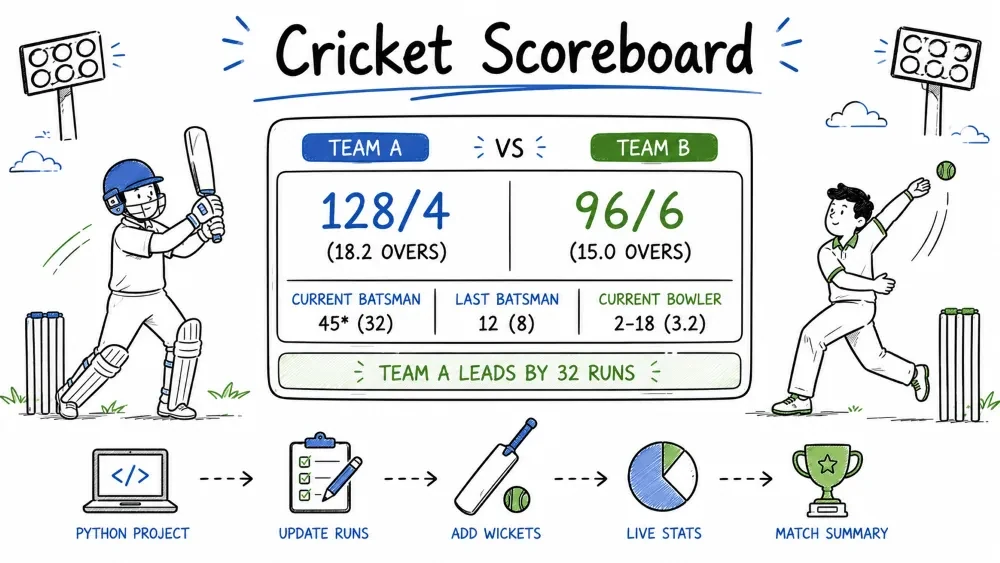
A terminal-based cricket scoreboard that simulates a batting innings. The program tracks runs, wickets, overs, and displays a running scorecard. You will learn how to manage game state with dictionaries, simulate ball-by-ball events using weighted random logic, and format a live scoreboard display. This is the same type of simulation used in fantasy cricket apps and practice bowling machines.
This project builds a simple cricket scoreboard for a batting innings. The computer generates random outcomes for each ball — runs from 0 to 6, or a wicket. The program keeps track of total runs, wickets fallen, balls bowled, and overs completed. After every ball or at the end of each over, it displays an updated scoreboard. The innings ends when 10 wickets fall or the maximum overs are reached.
Where this is used in the real world: Cricket simulation is used in fantasy sports apps, video games (Cricket 07, Don Bradman Cricket), and coaching analysis tools. The weighted random technique used here is the foundation of all sports simulations.
Knowledge needed
while loopsif/elif/else conditionalsSoftware needed
CricketScoreboard/
│
├── main.py      # The scoreboard program
└── README.md    # This tutorial
mkdir CricketScoreboard
cd CricketScoreboard
Create a file called main.py.
Before writing code, map out the flow of a cricket innings:
        ┌──────────────────────────────┐
        │      Innings Start           │
        │  (0 runs, 0 wickets, 0 overs) │
        └──────────────┬───────────────┘
                       ↓
        ┌──────────────────────────────┐
        │       Bowl a ball            │
        │  Random outcome: 0,1,2,3,4,6 │
        │               or W (wicket)   │
        └──────────────┬───────────────┘
                       ↓
        ┌──────────────────────────────┐
        │    Update score & balls      │
        └──────────────┬───────────────┘
                       ↓
        ┌──────────────────────────────┐
        │   End of over? (6 balls)     │
        │    Yes → Show scoreboard     │
        │    No  → Continue            │
        └──────────────┬───────────────┘
                       ↓
        ┌──────────────────────────────┐
        │   Innings over?              │
        │   10 wickets OR              │
        │   max overs reached?         │
        │   Yes → Show final score     │
        │   No  → Bowl next ball       │
        └──────────────┬───────────────┘
                       ↓
        ┌──────────────────────────────┐
        │       Innings Over           │
        │  Print "All out!" or         │
        │  "Overs complete!"           │
        └──────────────────────────────┘
This diagram is your roadmap. Every feature we build maps to one box in this flow.
Use a dictionary to hold everything that changes during the innings. A dictionary keeps related data together and makes the code easier to read than 5 separate variables.
score = {
    "runs": 0,
    "wickets": 0,
    "balls": 0,
    "max_overs": 5,
    "target": None
}
Why a dictionary instead of separate variables:
# Without dictionary — 5 separate variables:
runs = 0
wickets = 0
balls = 0
max_overs = 5
target = None

# With dictionary — grouped logically:
score = {"runs": 0, "wickets": 0, "balls": 0, "max_overs": 5, "target": None}
The dictionary version is easier to pass around. Instead of passing 5 arguments to a function (display_scoreboard(runs, wickets, balls, max_overs, target)), we pass one: display_scoreboard(score).
What each key means:
"runs" — total runs scored so far (starts at 0)"wickets" — wickets that have fallen (starts at 0)"balls" — number of legal deliveries bowled (starts at 0)"max_overs" — total overs in the innings (5 = short T20-style match)"target" — optional chase target (None means not set)Each ball produces an outcome: 0, 1, 2, 3, 4, 6 runs, or a wicket. We need random.choices() which picks from a list with custom probabilities.
import random

def bowl_ball():
    outcomes = [0, 1, 2, 3, 4, 6, "W"]
    weights = [30, 35, 10, 2, 12, 3, 8]
    return random.choices(outcomes, weights=weights)[0]
outcomes — the possible results of one delivery. "W" represents a wicket. All values except "W" are integers (the runs scored).
weights — controls how likely each outcome is. Higher weight = more likely.
random.choices() is different from random.choice(). With random.choice(), every outcome has equal probability (1 in 7 ≈ 14%). But cricket is not like that — dot balls are common, sixes are rare.
How weights work:
outcomes = [0,   1,   2,   3,   4,   6,   "W"]
weights  = [30,  35,  10,  2,   12,  3,   8]

Total weight = 30 + 35 + 10 + 2 + 12 + 3 + 8 = 100

Each outcome's probability:
  0 runs:  30/100 = 30%    ← most common (dot ball)
  1 run:   35/100 = 35%    ← most common scoring shot
  2 runs:  10/100 = 10%
  3 runs:   2/100 =  2%    ← rare
  4 runs:  12/100 = 12%    ← boundary
  6 runs:   3/100 =  3%    ← very rare (six)
  Wicket:   8/100 =  8%    ← wicket every ~12 balls
The weights sum to 100, making each value a percentage. This makes the simulation feel realistic — lots of singles and dot balls, occasional boundaries, rare wickets.
[0] at the end: random.choices() returns a list (even when picking one item). random.choices([0, 1], k=1) returns [0]. The [0] extracts the single element from the list, giving us just 0 instead of [0].
Write a function that prints the current score in a clean format with run rate. This function will be called after every ball or at the end of each over.
def display_scoreboard(score):
    overs_display = score["balls"] // 6 + (score["balls"] % 6) / 10
    overs_calc = score["balls"] / 6
    run_rate = score["runs"] / overs_calc if overs_calc > 0 else 0

    print(f"\nScore: {score['runs']}/{score['wickets']}")
    print(f"Overs: {overs_display:.1f}")
    print(f"Run Rate: {run_rate:.2f}")
    print("-" * 20)
Over calculation explained:
Overs display format (cricket notation):
balls = 0   → 0 // 6 + (0 % 6) / 10 = 0 + 0     = 0.0
balls = 6   → 6 // 6 + (0 % 6) / 10 = 1 + 0     = 1.0  (1 over completed)
balls = 7   → 7 // 6 + (1 % 6) / 10 = 1 + 0.1   = 1.1  (1 over, 1 ball)
balls = 12  → 12 // 6 + (0 % 6) / 10 = 2 + 0    = 2.0
balls = 14  → 14 // 6 + (2 % 6) / 10 = 2 + 0.2  = 2.2

Actual overs for run rate calculation:
balls = 15  → 15 / 6 = 2.5 overs (not 2.3 — the display format is NOT a real decimal)
The display format X.Y uses cricket convention: X completed overs and Y balls in the current over. 2.3 in cricket means 2 overs and 3 balls = 15 balls, but as a decimal 2.3 is only 2.3 overs = 13.8 balls. The run rate must use actual overs (balls / 6), not the cricket display format.
Run rate: Total runs divided by actual overs bowled. {run_rate:.2f} rounds to two decimal places. If 24 runs have been scored after 15 balls (2.5 actual overs), run rate = 24 / 2.5 = 9.60 runs per over.
Use a while loop to keep bowling until the innings ends.
print("=== Cricket Scoreboard ===\n")

score = {"runs": 0, "wickets": 0, "balls": 0, "max_overs": 5}

while score["wickets"] < 10 and score["balls"] < score["max_overs"] * 6:
    outcome = bowl_ball()
    score["balls"] += 1

    if outcome == "W":
        score["wickets"] += 1
        print(f"Ball {score['balls']}: WICKET!")
    else:
        score["runs"] += outcome
        print(f"Ball {score['balls']}: {outcome} run(s)")

    display_scoreboard(score)
Loop condition breakdown:
while score["wickets"] < 10 and score["balls"] < score["max_overs"] * 6:
       │                    │          │                          │
       │                    │          │               5 * 6 = 30 balls
       │                    │          max_overs = 5
       │                    keep bowling while under 30 balls
       keep bowling while fewer than 10 wickets
The and means both conditions must be true. The loop stops when either:
score["balls"] += 1: Every delivery increments the ball count by 1. No exceptions.
score["runs"] += outcome: If the outcome is 0, adding 0 does nothing. If it is 4, the total goes up by 4. If the outcome is "W", this line does not run — the if branch handles wickets.
Here is the working simulation with per-ball updates:
import random

def bowl_ball():
    outcomes = [0, 1, 2, 3, 4, 6, "W"]
    weights = [30, 35, 10, 2, 12, 3, 8]
    return random.choices(outcomes, weights=weights)[0]

def display_scoreboard(score):
    overs_display = score["balls"] // 6 + (score["balls"] % 6) / 10
    overs_calc = score["balls"] / 6
    run_rate = score["runs"] / overs_calc if overs_calc > 0 else 0
    print(f"\nScore: {score['runs']}/{score['wickets']}")
    print(f"Overs: {overs_display:.1f}")
    print(f"Run Rate: {run_rate:.2f}")
    print("-" * 20)

print("=== Cricket Scoreboard ===\n")

score = {"runs": 0, "wickets": 0, "balls": 0, "max_overs": 5}

while score["wickets"] < 10 and score["balls"] < score["max_overs"] * 6:
    outcome = bowl_ball()
    score["balls"] += 1
    if outcome == "W":
        score["wickets"] += 1
        print(f"Ball {score['balls']}: WICKET!")
    else:
        score["runs"] += outcome
        print(f"Ball {score['balls']}: {outcome} run(s)")
    display_scoreboard(score)
Run this. Notice it prints the full scoreboard after every single ball — that is a lot of output. Next we fix this to show the scoreboard only at the end of each over.
After every 6 balls, print an over summary and the scoreboard. Use a separate counter for balls within the current over.
over_balls = 0  # tracks balls in current over (0-6)

while score["wickets"] < 10 and score["balls"] < score["max_overs"] * 6:
    outcome = bowl_ball()
    score["balls"] += 1
    over_balls += 1

    if outcome == "W":
        score["wickets"] += 1
        print(f"  Ball {over_balls}: WICKET!")
    else:
        score["runs"] += outcome
        print(f"  Ball {over_balls}: {outcome} run(s)")

    # End of over check
    if over_balls == 6:
        display_scoreboard(score)
        if score["balls"] < score["max_overs"] * 6:
            print("--- End of over ---\n")
        over_balls = 0  # reset for next over
over_balls counter: Starts at 0, increments every ball. When it reaches 6, the over is complete — we show the scoreboard and reset to 0. This gives us ball numbering 1-6 within each over rather than cumulative numbering.
Output during play:
  Ball 1: 1 run(s)
  Ball 2: 4 run(s)
  Ball 3: 0 run(s)
  Ball 4: 2 run(s)
  Ball 5: 1 run(s)
  Ball 6: WICKET!

Score: 14/1
Overs: 1.0
Run Rate: 14.00
--------------------
--- End of over ---

  Ball 1: 3 run(s)
  Ball 2: 6 run(s)
  ...
After the loop ends, show the final score and explain why the innings finished.
display_scoreboard(score)
print("\n--- Innings Over ---")
print(f"Final Score: {score['runs']}/{score['wickets']}")

if score["wickets"] >= 10:
    print("All out!")
elif score["balls"] >= score["max_overs"] * 6:
    print("Overs complete!")
Why if/elif instead of two separate if statements: Only one condition can be true at the end — either the team is all out (10 wickets) OR the overs are complete. Using elif ensures only one message prints.
Sample final output:
Score: 186/7
Overs: 5.0
Run Rate: 37.20
--------------------

--- Innings Over ---
Final Score: 186/7
Overs complete!
Or with a collapse:
Score: 45/10
Overs: 3.4
Run Rate: 13.24
--------------------

--- Innings Over ---
Final Score: 45/10
All out!
Screenshot Suggestion: Terminal showing completed innings with final score and either "All out!" or "Overs complete!" message.
import random

def bowl_ball():
    """Simulate one cricket delivery. Returns runs (0-6) or 'W' for wicket."""
    outcomes = [0, 1, 2, 3, 4, 6, "W"]
    weights = [30, 35, 10, 2, 12, 3, 8]
    return random.choices(outcomes, weights=weights)[0]

def display_scoreboard(score):
    """Print the current score, overs, and run rate."""
    overs_display = score["balls"] // 6 + (score["balls"] % 6) / 10
    overs_calc = score["balls"] / 6
    run_rate = score["runs"] / overs_calc if overs_calc > 0 else 0

    print(f"\nScore: {score['runs']}/{score['wickets']}")
    print(f"Overs: {overs_display:.1f}")
    print(f"Run Rate: {run_rate:.2f}")
    print("-" * 20)

print("=== Cricket Scoreboard ===\n")

# Initialise game state
score = {
    "runs": 0,
    "wickets": 0,
    "balls": 0,
    "max_overs": 5
}

over_balls = 0  # balls bowled in the current over

# Main innings loop
while score["wickets"] < 10 and score["balls"] < score["max_overs"] * 6:
    outcome = bowl_ball()
    score["balls"] += 1
    over_balls += 1

    if outcome == "W":
        score["wickets"] += 1
        print(f"  Ball {over_balls}: WICKET!")
    else:
        score["runs"] += outcome
        print(f"  Ball {over_balls}: {outcome} run(s)")

    # Over complete?
    if over_balls == 6:
        display_scoreboard(score)
        if score["balls"] < score["max_overs"] * 6:
            print("--- End of over ---\n")
        over_balls = 0

# Innings over — show final result
display_scoreboard(score)
print("\n--- Innings Over ---")
print(f"Final Score: {score['runs']}/{score['wickets']}")

if score["wickets"] >= 10:
    print("All out!")
elif score["balls"] >= score["max_overs"] * 6:
    print("Overs complete!")
Run the file:
python main.py
Test 1 – Normal innings (likely outcome)
Expected: Ball-by-ball commentary for 5 overs, scoreboard after each over, final score.
Check: Total balls = 30. 6 balls per over × 5 overs.
Test 2 – All out (early wickets)
If wickets reach 10 before overs end:
Expected: "All out!" message. Innings ends before 5 overs.
Check: Wickets = 10, balls < 30.
Test 3 – Overs complete
If 5 overs finish with < 10 wickets:
Expected: "Overs complete!" message.
Check: Balls = 30, wickets < 10.
Test 4 – Run rate calculation
After 2.3 overs (15 balls) with 24 runs:
Run rate should be 24 / 2.3 = 10.43
Test 5 – Verify weight distribution
# Add this temporary test:
results = {"0": 0, "1": 0, "2": 0, "3": 0, "4": 0, "6": 0, "W": 0}
for _ in range(1000):
    r = bowl_ball()
    results[str(r)] += 1
print(results)
# Expected: 0: ~300, 1: ~350, 2: ~100, 3: ~20, 4: ~120, 6: ~30, W: ~80
Run rate shows division by zero or "inf"
Trigger: `display_scoreboard()` is called before any ball is bowled (overs = 0).
Why: `run_rate = runs / 0` → ZeroDivisionError or infinity.
Fix: The ternary `if overs > 0 else 0` handles this: `score["runs"] / overs if overs > 0 else 0`.
Over shows as 1.10 instead of 1.0
Trigger: Using `balls / 6` (regular division) instead of `balls // 6` (floor division).
Why: `7 / 6 = 1.166`, but `7 // 6 + (7 % 6) / 10 = 1 + 0.1 = 1.1`
Check: Ensure you use `//` for completed overs and `%` for remaining balls.
Wrong number of balls per over (e.g., 7 or 8)
Trigger: Forgot to reset `over_balls = 0` at the end of each over.
Why: After the 6th ball, `over_balls` stays at 6 and continues incrementing: 7, 8, 9...
Fix: Add `over_balls = 0` inside the `if over_balls == 6:` block.
Infinite loop (program never stops)
Trigger: The `while` loop condition never becomes False.
Why: One of the variables (`wickets` or `balls`) is not being updated inside the loop.
Fix: Verify that `score["balls"] += 1` runs every iteration and `score["wickets"] += 1` runs on wickets.
rich library for terminal formattingopen() and f.write()Target Chase – Set a target score before the innings starts and add "Need X runs in Y balls" to the scoreboard display. Use a target key in the dictionary.
Batsman Tracker – Create a list of 11 batsmen. Track which two are currently batting. Assign runs to the striker. Handle strike rotation after odd runs and at the end of each over.
Extras Counter – Add wides and no-balls as possible outcomes. Wides add 1 run but do NOT count as a legal delivery (do not increment score["balls"]).
Score Histogram – After the innings, display a bar chart showing how many of each scoring shot were hit:
0s:  ██████████████████████  12
1s:  ████████████████████████████████  16
2s:  ██████  4
4s:  ███████████  7
6s:  ████  2
Bowler: 3-0-24-2 (8.00).Save your progress and earn XP for completing tutorials.
Technology
Python
Lesson group
Mini Projects
Progress
36% complete

